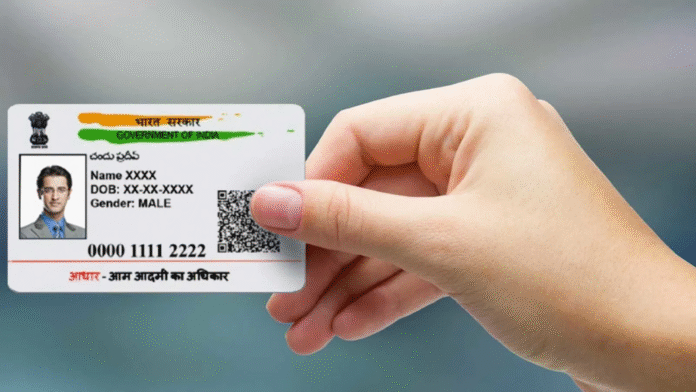
The Aadhaar card, issued by the Unique Identification Authority of India (UIDAI), is a crucial document containing important personal details such as name, address, date of birth, and mobile number. Keeping your mobile number updated in your Aadhaar card is essential since it is required for verification purposes, receiving OTPs, and accessing several online services. This article elaborates on both online and offline processes to quickly update your mobile number in Aadhaar. If you’re searching for a detailed guide on Aadhaar card mobile number update, you’re in the right place!
Why is it Important to Update Your Mobile Number in Aadhaar?
Before diving into the actual steps, it’s crucial to understand why keeping your mobile number updated in Aadhaar is so vital:
- OTP Verification: Many government and non-government services require OTP-based verification linked to your Aadhaar.
- Download Aadhaar Online: If you’ve lost your Aadhaar card, you can easily download Aadhaar card online by mobile number only if the registered mobile number is active.
- Facilitate Aadhaar Updates: Updating any other Aadhaar details (like address or name) can also require an active mobile number to receive OTPs.
- Access to Digital Platforms: A registered Aadhaar mobile number allows you to access online services like linking Aadhaar with PAN, bank accounts, and mobile SIM cards.
Methods for Aadhaar Card Mobile Number Update
There are two primary processes to update your mobile number in Aadhaar: online and offline. While the offline process remains the most widely used option, the online method can also help in certain cases for aadhaar card mobile number update.
1. Offline Process to Update Mobile Number in Aadhaar Card
The offline process is the most accessible way to update your mobile number in Aadhaar. Follow these steps carefully:
Step 1: Visit the Nearest Aadhaar Enrollment Center: To update your number offline, you must visit an authorized Aadhaar Enrollment Center or Aadhaar Seva Kendra (ASK). You can locate the nearest enrollment center on the official UIDAI website.
Step 2: Carry Necessary Documents: Since mobile number updates typically do not require additional documentation, only your Aadhaar card is enough. However, it’s a good idea to carry an identity proof document just in case.
Step 3: Fill Out the Aadhaar Update Form: On your visit to the Aadhaar Enrollment Center, request the Aadhaar Update/Correction Form. Fill in all the necessary details carefully, especially the new mobile number you want to link.
Step 4: Provide Biometrics: The executive at the center will verify your information and ask you to provide biometric authentication (fingerprints or iris scan). This step ensures that the request is being made by the rightful Aadhaar holder.
Step 5: Pay Update Fees: A nominal fee of ₹50 (as of October 2023) is charged for updating the mobile number in Aadhaar. Make the payment and collect the acknowledgment slip, which contains the Update Request Number (URN). Keep this slip safe as it allows you to track the update status.
Step 6: Wait for Confirmation: After submitting the request, you will receive a confirmation on your new mobile number (after the update is successful). The processing time generally takes 3-5 working days. You can track the update status through the URN provided.
2. Online Process for Aadhaar Card Mobile Number Update
Currently, UIDAI does not facilitate direct mobile number updates online for security reasons. However, you can add or update a mobile number by booking an appointment online and then visiting the Aadhaar center. Let’s walk through the process:
Step 1: Visit the Official UIDAI Website: Open the UIDAI website (https://uidai.gov.in) and click on the “My Aadhaar” tab on the homepage.
Step 2: Book an Appointment Online: Choose “Book an Appointment” under the “My Aadhaar” section. Select your city or Aadhaar Seva Kendra nearest to your location.
Step 3: Select Mobile Number Update Service: On the appointment page, opt for the service titled “Update Mobile Number.” Fill in your Aadhaar number and other required details.
Step 4: Visit the Aadhaar Center: Attend the appointment at your selected Aadhaar center on the scheduled date. Carry your Aadhaar card and obtain the acknowledgment slip after completing the mobile number update process.
Step 5: Confirmation Through SMS: Once the number is updated, you will receive an SMS confirming the same. Like the offline process, the update is generally completed within 3-5 working days.
Verify or Download Aadhaar Card Online by Mobile Number
Now that you’ve updated your mobile number in Aadhaar, you can verify your Aadhaar or download aadhaar card online by mobile number. Follow these steps:
Step 1: Visit the UIDAI Website: Go to the UIDAI official website and choose the “Download Aadhaar” option under the “Get Aadhaar” section.
Step 2: Enter Your Aadhaar Details: Fill in your 12-digit Aadhaar number or Enrollment ID. Then, enter the OTP sent to your newly updated mobile number for verification.
Step 3: Download the Aadhaar Card: After successful verification, you can download the e-Aadhaar as a PDF document. This digital Aadhaar card serves the same purpose as the physical card.
Tips to Ensure a Smooth Aadhaar Mobile Number Update Process
- Carry the Original Documents: While updating your number, always carry your original Aadhaar card and other identity proofs if required.
- Provide Accurate Information: Double-check the form to avoid mistakes during submission. Incorrect information can delay the process.
- Check Aadhaar Update Status: Keep track of the status of your mobile number update using the URN.
- Secure Your Aadhaar Details: Ensure you only visit authorized Aadhaar centers to prevent identity theft.
- Update at the Nearest Center: To save time, locate a convenient Aadhaar Enrollment Center through the UIDAI website.
Common Questions Related to Aadhaar Card Mobile Number Update
Q1: Can I update my Aadhaar mobile number without visiting a center?
As of now, mobile number updates require you to visit an Aadhaar Enrollment Center. There is no direct online option available.
Q2: How long does it take to update a mobile number in Aadhaar?
Typically, the process takes 3-5 working days to reflect in the Aadhaar database after submission of the update request.
Q3: What happens if my number is not updated or is inactive?
Without an active number, you cannot verify your Aadhaar online, download e-Aadhaar, or access other Aadhaar-linked services.
Q4: Can I download Aadhaar card online by mobile number?
Yes, you can download your Aadhaar online using your mobile number by receiving an OTP for verification purposes.
Conclusion
Updating your mobile number in Aadhaar is essential for seamless access to diverse services and to keep your information up-to-date. Whether you choose the offline method by visiting an Aadhaar Enrollment Center or the partial online route by booking an appointment, the process is straightforward and efficient. Once your mobile number is updated, you can easily download Aadhaar card online by mobile number and enjoy a hassle-free experience for all Aadhaar-related services.
Ensure your Aadhaar details are always accurate and up to date to avoid disruptions, and remember to safeguard your Aadhaar information to prevent misuse. Follow the steps mentioned in this article for a hassle-free Aadhaar card mobile number update process!